iOS 27.2 Is Out: Siri AI Memory, 163 Security Fixes and New Languages — Which iPhones Get It and How to Update
By Fatima Raza | Updated: 7 November 2026 Apple has released iOS 27.2, the first major update to iOS 27, and it is available now for the iPhone 11 and later. The update rolled out on Monday, 26 October 2026, and it gives Siri AI a memory of your past conversations, adds five new languages,…
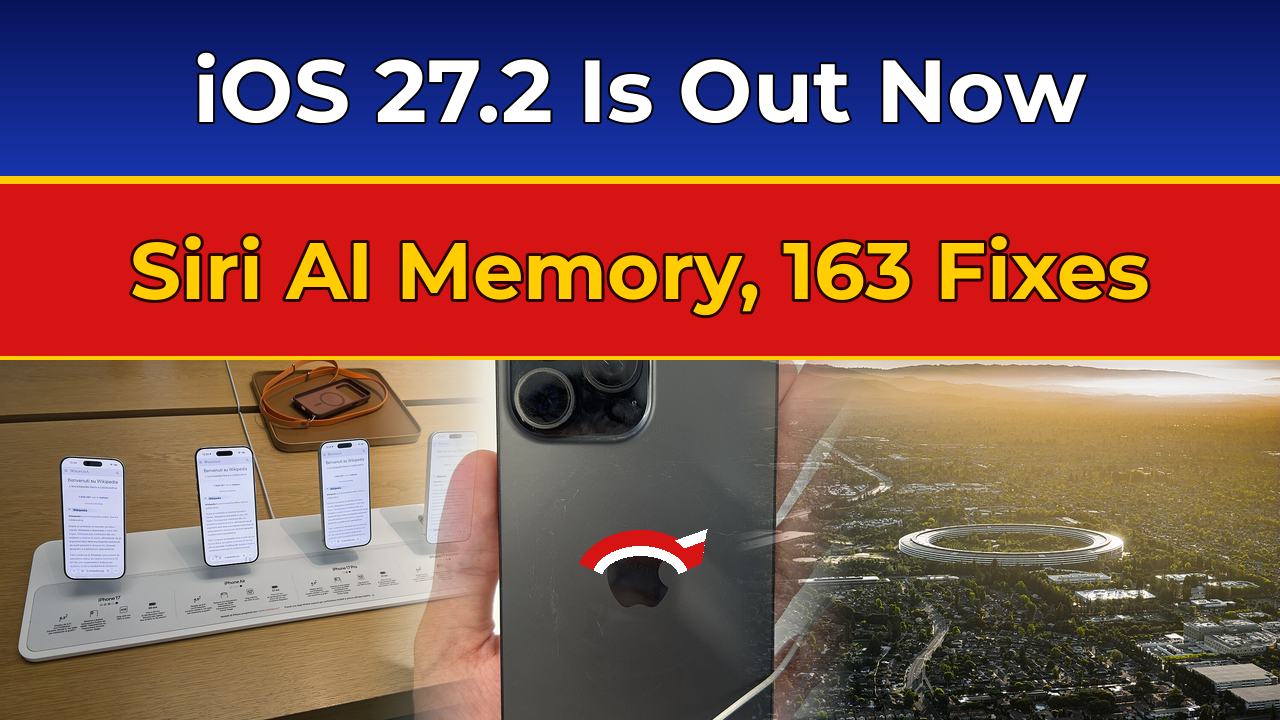
Apple has released iOS 27.2, the first major update to iOS 27, and it is available now for the iPhone 11 and later. The update rolled out on Monday, 26 October 2026, and it gives Siri AI a memory of your past conversations, adds five new languages, patches 163 security flaws, and brings a long list of smaller improvements across FaceTime, Messages, Apple Music and Apple TV. If you own a compatible iPhone, install it — the security fixes alone make a strong case.
The headline change is the smarter Siri. On supported iPhones, Siri AI can now recall things you talked about before — ask it about a restaurant it recommended last week and it will remember — and it can draw on more of what is on your phone, including photos attached in Messages, people invited to your Calendar events, your voicemails, and your Safari history and Reading List. There is also a new Excluded Apps setting, so you can decide which apps Siri, Search and suggestions are allowed to look inside. But the new Siri features only work on the iPhone 16 range and later, or the iPhone 15 Pro and 15 Pro Max. Everyone else gets the rest of the update, just not the AI assistant upgrade.
| Key fact | Detail |
|---|---|
| Update | iOS 27.2 — first major update to iOS 27 |
| Release date | Monday, 26 October 2026 |
| Public build | 24B119 (standard iPhones); 24B91020 (iPhone Duo) |
| Release candidate | 24B115, seeded 19 October 2026 |
| Compatible iPhones | iPhone 11 and later, plus iPhone SE (2nd and 3rd generation) |
| Headline feature | Siri AI gains memory of past conversations and wider personal context |
| New Siri AI languages | French, Japanese, Korean, Portuguese, Spanish (beta); Hindi not included |
| Siri AI needs | iPhone 16 or later, or iPhone 15 Pro / 15 Pro Max |
| Security fixes | 163 vulnerabilities patched, including 30+ in WebKit and about 15 in the kernel |
| Not included | Redesigned Health app — removed in beta, deferred to a future update |
| Also released | iPadOS 27.2 and iOS 26.7.2 (for devices staying on iOS 26) |
| Next update | iOS 27.2.1 in testing, not yet released; iOS 27.3 beta from early November, public release in December |
Why there was no iOS 27.1
If you were waiting for iOS 27.1, you did not miss it — Apple skipped it for regular iPhones. The company reserved version 27.1 for the iPhone Duo, its first foldable iPhone, which went on sale on Friday, 23 October and sold out at Apple Stores around the world. With iOS 27.2, both the Duo and every other compatible iPhone are on the same version, and the Duo also gains Apple Pencil (USB-C) support for its folding screen — though not the Apple Pencil Pro. For readers in Pakistan, the Duo’s price has been one of the most-searched Apple topics of the past fortnight: see our coverage of the iPhone Duo pre-orders, price in Pakistan and launch date.
Siri AI can now remember what you told it
Siri AI arrived with iOS 27 in September, but in its first form it was a fresh start every time — it could not remember what you had asked it before. iOS 27.2 changes that. Apple says Siri AI can now “retain useful context from previous Siri interactions”, so a follow-up question days later still makes sense to it — ask about a restaurant Siri recommended earlier, without repeating the whole search.
There is also a new Excluded Apps setting, so you can decide which apps Siri, Search and suggestions are allowed to look inside. Apple has been clear about the limits, too: Siri AI is still labelled beta, it is not available in the European Union or mainland China, it is not available to users under 13, and features that run on Apple’s servers carry daily usage limits. Apple has said expanded access “will be available for a fee in the future”, though no price or date has been announced.
Five new languages — but no Hindi or Urdu yet
iOS 27.2 takes Siri AI beyond English for the first time. The assistant now works in French, Japanese, Korean, Portuguese and Spanish, all still carrying the beta label. Apple has said Chinese (traditional), Norwegian, Turkish and Vietnamese will follow by the end of 2026. To use one of the new languages, your iPhone’s device language and Siri language both need to be set to that language.
For users in Pakistan, the honest position is this: Siri AI remains an English-only feature here. Neither Urdu nor Hindi is on the new list, and neither is in the group Apple has promised by the end of the year. Hindi is not included at all.
FaceTime Dual Capture, a new Apple Music icon and more
Beyond Siri, iOS 27.2 touches almost every corner of the iPhone. FaceTime gains Dual Capture in group calls, so you can share video from both the front and rear cameras at the same time. The feature arrived for one-to-one calls with iOS 27; this update extends it to group calls. It only works on the iPhone 17 and newer, so older models will not see the option. FaceTime also gains support for a third-party sign-language interpreter or live captioner during a call.
The most visible change for many people will be the Apple Music icon: the familiar red background is gone, replaced by a black music note on a white background, with matching changes to the widgets and interface. It is a small thing, but it changes the look of a home screen millions of people see every day.
Shared photo albums are another quiet but practical addition: albums can now be shared with other Apple users, who can edit pictures and add comments and captions, with a reminder before a shared album expires so you can save the photos that matter. Apple TV gets separate profiles at last — everyone in a household can have their own profile instead of sharing one account, with content-rating controls on child profiles — plus a Multiview option for watching up to four supported sports streams at once.
Messages gets Suggested Actions: when a conversation mentions plans, the app suggests a relevant next step, such as adding a dinner to Calendar or creating a reminder, shown as a chip in the keyboard toolbar. Apple Podcasts replaces its mixed Up Next section with two clearer ones, New Episodes and Continue Playing. The update also supports SynthID, Google’s tool for identifying images generated or modified with Apple’s AI image generator, Image Playground, or in the Photos app.
There is plenty more in the margins: smarter door-lock settings in the Home app, Sound Glow and a Lock Controls setting for HomePod, progress bars in Apple Books, recently downloaded games in the Games app, anniversary reminders in the Phone app, and new theme options for CarPlay Ultra vehicles.
The 163 security fixes are the real reason to update
For all the new features, the strongest reason to install iOS 27.2 is security. Apple patched 163 vulnerabilities across iOS 27.2 and iPadOS 27.2, covering WebKit — the browser engine behind Safari — the operating system kernel, Apple Intelligence and other core components. More than 30 of the flaws were in WebKit, where a malicious website could have run unauthorised code, and about 15 affected the kernel.
Two privacy flaws stand out. One, tracked as CVE-2026-86987, could have let a remote attacker access sensitive user data through Apple Intelligence; Apple fixed it with improved entitlement checks. The other, CVE-2026-112500, could have revealed a user’s real email address even when they were using Hide My Email. Neither disclosure suggests attackers actually accessed anyone’s information, and Apple has not flagged any of the 163 flaws as actively exploited — but that is exactly the point of patching promptly, before the details become useful to attackers.
Apple also released iOS 26.7.2 and iPadOS 26.7.2 on the same day for devices staying on the previous generation, with fixes for 134 CVE identifiers — so even if you are not moving to iOS 27 yet, there is a security update waiting for you.
The scale of the release is worth noting: Apple has just reported record quarterly revenue, with the iPhone 18 Pro driving the numbers — see our report on Apple’s Q4 2026 earnings and the iPhone 18 Pro — and a single update carrying 163 fixes is one of the biggest security clean-ups of the year, reaching every iPhone back to 2019.
What was cut: the redesigned Health app is gone
Not everything Apple tested made it into the final release. Early betas of iOS 27.2 included a redesigned Health app, built to work alongside the health sensors of the Apple Watch Ultra 4 and Apple Watch Series 12. By the fourth developer beta, Apple had removed it entirely, intending to install it later. The public release ships with the old Health app, and there is no date for the redesign to return — so do not trust early-beta screenshots still circulating online. An AutoLock security feature seen in the second beta did not ship either.
Which iPhones get iOS 27.2
iOS 27.2 is available for the iPhone 11 and later, plus the iPhone SE (2nd and 3rd generations) — the iPhone 11, 12, 13, 14, 15 and 16 ranges including the iPhone 16e, the iPhone 17, 17 Pro and 17 Pro Max, iPhone Air, iPhone 17e, iPhone 18 Pro and 18 Pro Max, and the iPhone Duo. If your phone runs iOS 27, it gets iOS 27.2.
The split to remember is about Siri AI, not the update itself. The new Siri memory, wider personal context and new languages need an iPhone 16 or later, or an iPhone 15 Pro or 15 Pro Max. An iPhone 11, 12, 13, 14 or standard iPhone 15 will install iOS 27.2 and get the security fixes and everything else — but Siri on those phones stays the classic version. iPadOS 27.2 arrived alongside for compatible iPads.
How to update your iPhone to iOS 27.2
Back up your iPhone first — to iCloud or to a computer — connect to Wi-Fi, and plug the phone in or make sure it has plenty of charge. The update is large, and a phone that dies halfway through an install is a headache you do not need.
- Open the Settings app on your iPhone.
- Tap General.
- Tap Software Update.
- If iOS 27.2 is available, it will appear on screen — tap Download and Install (or Update Now) and follow the instructions.
- Leave the phone on Wi-Fi and charging while it installs, and do not interrupt it when the Apple logo appears.
If you do not see the update, check that your iPhone is on the compatibility list above, that you are connected to Wi-Fi, and that you have enough free storage — a major update can need several gigabytes of free space. If you are still on iOS 26, your phone will offer iOS 27.2 as the move to the new generation, and iOS 26.7.2 will also be available as a smaller security-only option.
Should you update? Yes — and watch for iOS 27.2.1
Yes. The 163 security fixes are reason enough on their own, and the feature additions — Siri memory on supported phones, group Dual Capture, shared albums, Apple TV profiles — are genuine improvements rather than decoration. The one honest caveat is that early point releases sometimes carry small bugs of their own, and Apple is already testing a follow-up: iOS 27.2.1 has been spotted in visitor logs and is expected soon as a bug-fix and security patch, with no new features. It has not been released yet, as of 7 November 2026, and Apple has not announced a date for it.
Separately, Apple has confirmed that the first iOS 27.3 developer beta is due in early November, with the public release planned for December — that will be the update with the next wave of new features. Install 27.2 now for the security fixes, and keep an eye on Software Update over the next week or two for the 27.2.1 patch. And if you are curious about where Siri AI is heading next, Apple’s wider push into the home — including the new HomeView device — is worth a look in our coverage of Apple HomeView, its price, pre-orders and Siri AI features in Pakistan.
Which iPhones can install iOS 27.2?
iOS 27.2 works on the iPhone 11 and later, plus the iPhone SE (2nd and 3rd generations). That covers the iPhone 11, 12, 13, 14, 15, 16, 17 and 18 ranges, the iPhone Air and the iPhone Duo. If your iPhone already runs iOS 27, it will get iOS 27.2.
Which iPhones get the new Siri AI memory feature?
Only the iPhone 16 range and later, or the iPhone 15 Pro and iPhone 15 Pro Max. Older iPhones can install iOS 27.2 and get the security fixes and other features, but Siri AI’s memory, wider personal context and new languages need the newer hardware.
Does Siri AI in iOS 27.2 support Urdu or Hindi?
No. iOS 27.2 adds French, Japanese, Korean, Portuguese and Spanish to Siri AI, and Apple has promised Chinese (traditional), Norwegian, Turkish and Vietnamese by the end of 2026. Hindi is not included, and Urdu has not been announced. For users in Pakistan, Siri AI remains English-only for now.
How many security flaws does iOS 27.2 fix?
Apple patched 163 vulnerabilities in iOS 27.2 and iPadOS 27.2, including more than 30 in WebKit and about 15 in the kernel. Two notable privacy flaws were CVE-2026-86987 (Apple Intelligence data access) and CVE-2026-112500 (a Hide My Email address leak). Apple has not flagged any of them as actively exploited.
How do I update my iPhone to iOS 27.2?
Go to Settings, then General, then Software Update, and tap Download and Install when iOS 27.2 appears. Back up your phone first, connect to Wi-Fi, and keep the phone charging during the install. If you are still on iOS 26, you will be offered iOS 27.2, or the smaller iOS 26.7.2 security update if you prefer to stay on iOS 26.
What is FaceTime Dual Capture in iOS 27.2?
Dual Capture lets you share video from both the front and rear cameras at the same time during a FaceTime call. It arrived for one-to-one calls with iOS 27; iOS 27.2 extends it to group FaceTime calls. It only works on the iPhone 17 and newer.
Is there a newer update than iOS 27.2?
Not yet. As of 7 November 2026, iOS 27.2 is still the latest public release. Apple is testing a small iOS 27.2.1 patch, expected soon, and the first iOS 27.3 developer beta is due in early November, with the public iOS 27.3 release planned for December. Check Settings, then General, then Software Update for the latest version.