
WhatsApp Chat Preview on Android: Read Messages Without Opening the Chat or Sending Blue Ticks
By Fatima Raza | Updated 7 November 2026 Yes, WhatsApp is finally bringing chat previews to Android. In a future update, you will be able to long-press any conversation in your chat list and read its latest messages in a floating preview card, without opening the chat and without sending blue ticks to the sender….
By Fatima Raza | Updated 7 November 2026
Yes, WhatsApp is finally bringing chat previews to Android. In a future update, you will be able to long-press any conversation in your chat list and read its latest messages in a floating preview card, without opening the chat and without sending blue ticks to the sender. The feature was spotted in WhatsApp beta for Android 2.26.44.11 and confirmed by an APK teardown of beta 2.26.44.12, but it is still under development and is not available to beta testers yet. There is no release date.
If you have ever stared at a message notification, wanting to know what it says but not wanting the sender to know you have read it, this is the feature you have been waiting for. iPhone users have had this peek trick for years. Android users are about to catch up, and in one important way, the Android version will be better than the iPhone one.
WhatsApp Chat Preview for Android: Key Facts
| Feature | Contextual chat preview (peek at chats from the chat list) |
| Platform | WhatsApp for Android |
| Spotted in | WhatsApp beta for Android 2.26.44.11 (WABetaInfo) and 2.26.44.12 (Android Authority teardown) |
| How it works | Long-press a conversation to open a floating preview card with the latest messages |
| Read receipts | Peeking does NOT send blue ticks; messages are marked read only when you open the chat normally |
| Scrolling | Android preview is scrollable, so you can read older messages too; the iOS preview is not scrollable |
| Status | Under active development, not available even to public beta testers |
| Release date | Not announced; WhatsApp has given no timeline |
| iOS comparison | iPhone users already have this long-press preview |
⚠️ Not available yet, please do not get fooled. This feature is under development only. It is not rolling out, it is not in the public beta, and no APK or setting can turn it on today. Any website, video or modified app claiming to unlock the WhatsApp chat preview right now is misleading you. When it does arrive, it will come through a normal WhatsApp update from the Google Play Store.
How the Chat Preview Will Work
Right now, long-pressing a chat on Android does something fairly boring. It selects the conversation and shows a small toolbar at the top with options to pin, archive, mute or delete it. You learn nothing about what is inside the chat until you actually open it, and the moment you do, the sender gets their blue ticks.
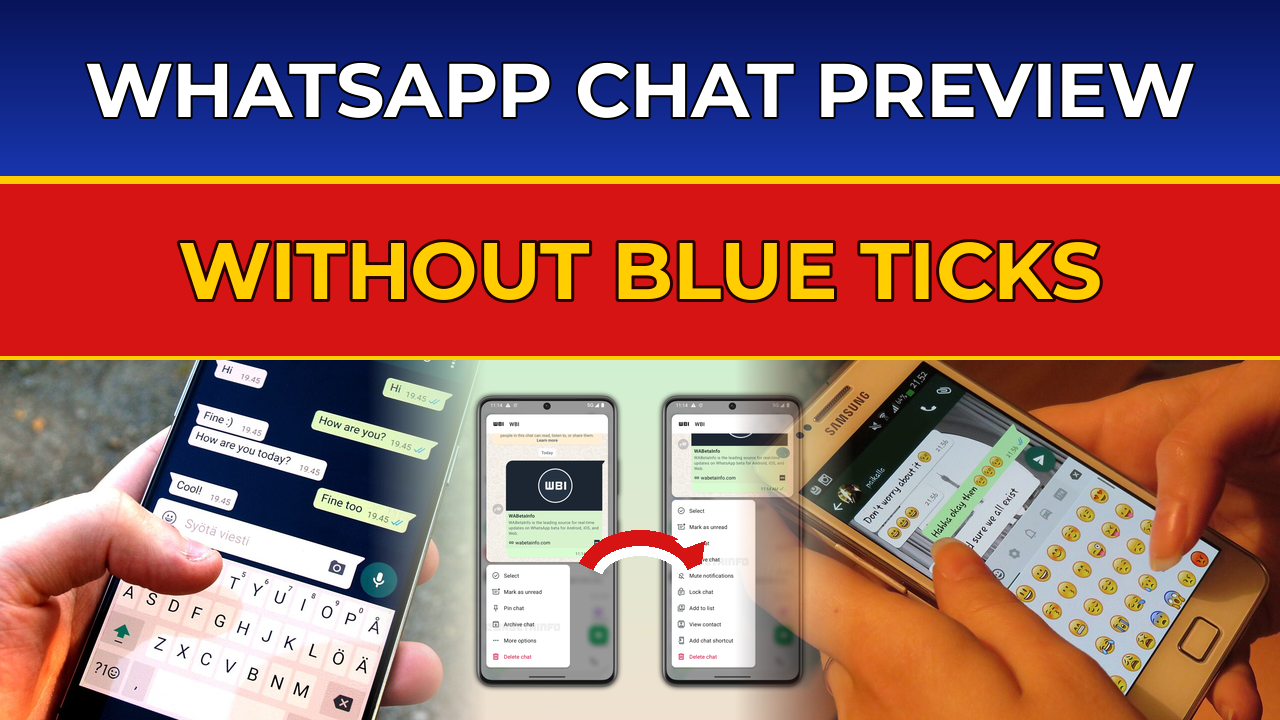
The new design changes that completely. When you press and hold a conversation, a floating card pops up above a redesigned menu. The card shows the most recent messages in that chat, so you can read them right there in the chat list. Below the card sits the action menu, so you can manage the conversation without ever opening it.
Android Authority’s team managed to activate the feature early from the beta code and tested it hands-on. Their finding is the one that matters most: peeking at a conversation through the preview does not trigger read receipts. The sender sees nothing. The message stays unread on their side until you open the chat properly.
The One Thing Android Does Better Than iPhone
Here is where it gets interesting. iPhone users have enjoyed this peek window for a long time, but the iOS version has a hard limit: you can only see a few recent messages, and you cannot scroll. If a chat has ten new messages, or one very long message, the preview simply cuts off.
WhatsApp is fixing that on Android. The Android preview card is scrollable. You will be able to swipe up inside the preview and read older messages in the thread, all without sending a single read receipt. It is a small difference on paper, but in practice it is the difference between glancing at a message and actually catching up on a conversation while staying invisible.
| Android (upcoming) | iOS (already available) | |
| Gesture | Long-press a chat | Long-press a chat |
| Preview | Floating card with latest messages | Pop-up window with recent messages |
| Scrolling | Yes, scroll up to older messages | No, fixed view of a few messages |
| Blue ticks | Not sent while peeking | Not sent while peeking |
| Action menu | Redesigned menu below the card | Quick actions in the preview |
| Availability | Under development, no date | Available now |
What the Redesigned Context Menu Will Offer
The preview is only half the story. WhatsApp is also rebuilding the menu that appears when you long-press a chat, putting far more controls within reach from the chat list itself.
The main menu under the preview card will include options to select the chat, mark it as read or unread, pin it, archive it and delete it. Android Authority’s teardown also lists mute notifications in this menu. Tap “More options” and the menu expands further, with the ability to lock the chat, add it to a list, view the contact’s info and add a home-screen shortcut for the conversation.
Put together, it means much less tapping around. Today, locking a chat or adding a shortcut means opening the chat, tapping the contact name and hunting through settings. With this redesign, most of it happens from the chat list in two taps. For people who manage dozens of chats a day, that adds up fast.
How to Use Chat Preview on Android When It Arrives
When WhatsApp finally ships this feature, using it should take about two seconds. Here is exactly what to do:
- Update WhatsApp from the Google Play Store to the version that includes the feature. WhatsApp will announce the rollout, and TimelyUps will cover it as soon as it lands.
- Open WhatsApp and stay on the Chats tab, your main chat list.
- Press and hold any conversation for a second until the preview card appears.
- Read the latest messages in the floating card. Swipe up inside the card to scroll to older messages.
- Tap outside the card to close it, or use the menu below it to pin, archive, mute or delete the chat.
- Remember: the moment you tap into the chat itself, the messages will be marked as read and blue ticks will be sent, just like today.
There will be nothing to switch on. Like the iOS version, this is a long-press gesture built into the chat list, not a setting buried in a menu. If you long-press a chat and nothing pops up, your app simply does not have the feature yet.
What You Can Do Right Now
Waiting for an unreleased feature is annoying, especially when the problem it solves is one you face every day. Until the preview arrives, these are the honest workarounds that actually work today:
Read from the notification. When a message arrives, pull down your notification shade and read it there. Notifications never send blue ticks. The catch is that it only works until you swipe the notification away, and long messages get cut off.
Turn off read receipts entirely. Go to Settings, then Privacy, and switch off Read receipts. The trade-off is real: you will stop sending blue ticks, but you will also stop receiving them. You will no longer be able to tell when other people have read your messages. For many people that is a fair deal; for others it is not.
Use “Mark as unread” after reading. If you do open a chat, long-press it afterwards in the chat list and choose Mark as unread. This does not unsend the blue ticks, the sender already saw them, but it keeps the chat bold in your own list so you remember to reply.
Read on WhatsApp Web with a trick. Some people read messages on a linked device while keeping their phone offline, but this is fiddly and unreliable. The notification method is simpler and safer.
None of these is as clean as the coming preview, which is exactly why the feature is getting so much attention. It gives you the benefit of turning off read receipts without the cost.
Why This Feature Matters in Pakistan
WhatsApp is not just an app in Pakistan, it is where work happens, where families coordinate and where news spreads first. Most people I know keep read receipts on, because turning them off feels rude or secretive, but then quietly wish they could read a message before committing to a reply. A boss’s message at 11pm, a relative asking for a favour, a group chat that has exploded to 200 messages while you were busy. The preview solves that exact tension: read first, reply when you are ready, and nobody is any the wiser.
It also fits a clear pattern. WhatsApp has been steadily improving the Android chat list for months. An earlier beta, 2.26.32.11, added small media thumbnails to the chat list so you can see at a glance whether the latest message is a photo, a video or a sticker. The chat bar itself has been redesigned, and message scheduling is rolling out to Android beta testers, letting you schedule messages, photos and videos ahead of time. Read our guide on how to schedule WhatsApp messages on Android to see how that one works. The chat preview is the next step in the same direction: more information and more control without opening a single chat.
Practical Tips for Staying Invisible on WhatsApp
A few habits will serve you well whether or not the preview has arrived on your phone yet. First, keep your WhatsApp updated and check the Play Store manually once a week, because features like this often roll out in waves and the update will not always install itself overnight. Second, be careful with modified or “GB” versions of WhatsApp that promise hidden features early. They can get your number banned and they are a genuine security risk; the real feature will come to the official app for free.
Third, remember that the preview only hides read receipts, not your online status or “last seen”. If you are worried about appearing online, that is a separate setting under Privacy. And finally, if a message genuinely needs a reply, do not leave it sitting on unread for days. The preview is a tool for reading on your own schedule, not for ignoring people, and most chats go better when the reply comes sooner rather than later.
WhatsApp has said nothing official about when the chat preview will reach Android users, and features spotted in beta code do not always ship. But this one has now been reported by multiple independent outlets, the code is working well enough for hands-on testing, and it brings Android to parity with iOS on something users clearly want. That is usually a good sign. Keep your app updated, and the next time you long-press a chat, a preview card may be waiting for you. For more on how WhatsApp keeps changing on Android, see our coverage of the WhatsApp Android chat bar redesign and the PTA crackdown on WhatsApp accounts linked to recycled SIMs.
FAQs: WhatsApp Chat Preview on Android
What is the WhatsApp chat preview feature on Android?
It is an upcoming feature that lets you long-press a conversation in the chat list to see its latest messages in a floating preview card, without opening the chat. A redesigned action menu appears below the card with options to pin, archive, mute, delete and manage the chat.
Will reading a chat preview send blue ticks?
No. Testing of the beta code confirms that peeking at messages through the preview does not trigger read receipts. The sender will not know you have read the messages. Blue ticks are sent only when you open the chat normally.
Is the WhatsApp chat preview available on Android yet?
No. The feature is under active development and is not available even to public beta testers as of 7 November 2026. It was spotted in beta versions 2.26.44.11 and 2.26.44.12, but WhatsApp has not announced a release date.
How is the Android chat preview different from iPhone?
iPhone users already have a long-press chat preview, but the iOS window cannot be scrolled, so it only shows a few recent messages. The upcoming Android preview is scrollable, letting you swipe up to older messages inside the preview, still without sending read receipts.
How do I use the chat preview when it arrives?
Update WhatsApp from the Play Store, then press and hold any chat in your chat list. A preview card with the latest messages will appear. Scroll inside it to read older messages, use the menu below it to manage the chat, and tap outside the card to close it. There is no setting to turn on.
Can I get the chat preview early with a beta or APK?
No. Even users on the latest public beta do not have it, because the feature is still in development behind the scenes. Installing modified WhatsApp apps that claim to unlock it risks a ban on your number and your privacy. Wait for the official update from the Play Store.
Does the chat preview hide my online status too?
No. The preview only prevents read receipts from being sent. Your online status and last seen are controlled separately in WhatsApp Settings under Privacy. If you want to hide those as well, change them there.